 how-to
Automated Building Maintenance for Industrial Sites
Table of Contents
- What Automated Building Maintenance Means for Industrial Operations
- Building Automation System Maintenance: Core Principles and Practices
- Preventive Versus Reactive Maintenance Strategies
- Industrial Facility Maintenance Software and CMMS Tools
- Building Maintenance Checklist for Automated Systems
- Predictive Maintenance Tools and Condition Monitoring
- Safety, Cybersecurity, and Operational Technology Controls
- Measuring ROI and Environmental Impact
- Frequently Asked Questions
Last Updated: October 21, 2026
What Automated Building Maintenance Means for Industrial Operations
Automated building maintenance transforms how industrial facilities manage their infrastructure. Instead of reactive repairs when systems fail, automation creates continuous monitoring and scheduled upkeep. This shift reduces downtime, extends equipment life, and cuts operational costs significantly.
Industrial sites face unique challenges. Large facilities span multiple zones with complex HVAC systems, electrical networks, and mechanical equipment. Manual inspections miss problems until they become expensive failures. Automated systems catch issues early.
Building automation systems track performance in real time. Sensors measure temperature, humidity, pressure, and equipment status. Controllers process this data and trigger maintenance alerts automatically. The result is predictable maintenance schedules instead of emergency calls.
Facility managers need reliable data to make decisions. Modern industrial maintenance depends on accurate monitoring and swift response. Automation delivers both.
Building Automation System Maintenance: Core Principles and Practices
A building automation system (BAS) is the central nervous system of an industrial facility. It monitors equipment performance and coordinates maintenance activities across all building systems. Proper BAS maintenance keeps your entire operation running smoothly.
The core principle is simple: prevent problems before they start. Preventive maintenance on BAS components costs far less than emergency repairs. Regular inspections catch worn sensors, failing controllers, and degraded wiring before they cause system failures.
BAS maintenance involves three key activities:
- Sensor inspection and calibration
- Controller and control panel checks
- Regular firmware and software updates
Each activity protects different parts of your system. Together, they ensure your building automation system delivers reliable data and responsive control.
Sensor Inspection and Calibration
Sensors are the eyes and ears of your building automation system. They measure temperature, humidity, air quality, occupancy, and equipment status. If sensors drift or fail, your entire system makes decisions based on bad data.
Calibration is the process of testing sensors against known standards and adjusting them to match. A temperature sensor reading 2 degrees high will trigger unnecessary heating, wasting energy. A humidity sensor reading low will allow moisture to damage equipment.
Inspect sensors monthly for visible damage:
- Check wiring connections for corrosion or loose contacts
- Look for dust, dirt, or debris blocking sensor openings
- Test sensor readings against manual measurements
- Replace any sensor showing drift beyond manufacturer tolerance
Calibrate sensors quarterly. Use calibration equipment to compare sensor output against a known standard. Document results and adjust sensor settings as needed. This simple routine prevents costly control failures.
Controller and Control Panel Checks
Controllers are the decision-makers in your BAS. They receive sensor data, compare it to setpoints, and send commands to equipment. A failed controller can disable an entire zone or building system.
Control panels house controllers and related electrical equipment. They need protection from heat, moisture, and physical damage. Regular checks prevent electrical failures that cascade through your system.
Monthly control panel maintenance includes:
- Verify panel temperature stays within safe range (typically 10-35°C)
- Check for water intrusion or condensation inside enclosures
- Inspect wiring terminals for loose connections or corrosion
- Test backup power systems and battery condition
- Review error logs for recurring faults
Annual deep checks are essential. Test each controller's communication with sensors and output devices. Verify software is current and security patches are applied. Check capacitors and power supplies for signs of aging.
Preventive Versus Reactive Maintenance Strategies
Two approaches dominate industrial maintenance: preventive and reactive. The choice between them shapes your costs, safety record, and equipment lifespan.
Reactive maintenance waits for equipment to fail, then repairs it. This approach is cheap in the short term. You pay only when something breaks. But failures often occur at the worst times.
Preventive maintenance follows a schedule based on manufacturer recommendations and historical data. You service equipment before it fails. This costs more upfront but eliminates emergency calls and unexpected downtime. Equipment lasts longer because it operates within safe parameters. Your facility runs predictably.
A third approach, predictive maintenance, uses monitoring data to schedule service exactly when needed. Sensors track equipment condition continuously. When data shows degradation approaching failure, you schedule maintenance. This balances cost and reliability better than either preventive or reactive alone.
Most industrial sites benefit from a hybrid approach. Use preventive maintenance for critical systems like HVAC and electrical. Use predictive maintenance for equipment you can monitor continuously. Accept reactive maintenance only for non-critical items where failure causes no safety or operational risk.
Industrial Facility Maintenance Software and CMMS Tools
Maintenance management software organizes work, tracks assets, and schedules service. A computerized maintenance management system (CMMS) stores equipment data, maintenance history, and work schedules in one place.
Good CMMS software does several things:
- Tracks all equipment and their maintenance schedules
- Generates work orders automatically when service is due
- Records what was done, when, and by whom
- Alerts managers to overdue maintenance
- Reports on equipment reliability and maintenance costs
- Integrates with building automation system data
The right tool depends on your facility size and complexity. Small sites might use simple spreadsheets. Medium facilities benefit from dedicated CMMS platforms. Large industrial complexes need systems that integrate with BAS data and coordinate across multiple locations.
Key features to evaluate:
- Mobile access so technicians can update records on site
- Automated alerts for overdue maintenance tasks
- Integration with your building automation system
- Reporting on equipment downtime and maintenance costs
- User-friendly interface requiring minimal training
Many CMMS tools now connect directly to BAS data. This creates a closed loop: sensors detect a problem, software generates a work order, technician fixes it, and the system confirms the repair. This integration eliminates manual data entry and reduces response time.
Building Maintenance Checklist for Automated Systems
A maintenance checklist ensures nothing is missed. Different tasks occur on different schedules. Monthly checks catch emerging problems. Quarterly work addresses seasonal issues. Annual service handles deep maintenance.
Monthly and Quarterly Inspection Schedules
Monthly inspections are quick checks that take 2-4 hours per facility zone:
- Verify all sensors are responding and showing reasonable values
- Check control panels for warning lights or error messages
- Walk through zones and listen for unusual equipment noise
- Record temperature and humidity readings manually
- Compare manual readings to sensor values
- Note any equipment that seems to be running longer than normal
Quarterly inspections are more thorough and take 8-12 hours:
- Calibrate all temperature and humidity sensors
- Clean sensor openings and wiring connections
- Test backup power systems and uninterruptible power supplies
- Review and clear equipment error logs
- Check all wiring terminals for corrosion
- Verify all control outputs are functioning (dampers, valves, relays)
- Update maintenance records in your CMMS
Create a checklist specific to your facility. List every sensor, controller, and major equipment item. Assign a responsible technician. Set reminders in your CMMS for each task.
Annual Calibration and System Testing
Annual maintenance is comprehensive. Budget 40-80 hours depending on facility size. This is the time to verify your entire system works as designed.
Annual tasks include:
- Full calibration of all sensors against traceable standards
- Testing all controller functions and logic sequences
- Verifying communication between BAS components
- Checking and updating all software and firmware
- Testing emergency shutdown procedures
- Reviewing energy consumption trends for anomalies
- Inspecting all mechanical equipment served by the BAS
- Updating documentation and as-built drawings
Many facilities hire external specialists for annual testing. An independent technician provides objective verification that your system meets specifications. This is especially important if your facility must comply with regulatory standards or certification requirements.
Predictive Maintenance Tools and Condition Monitoring
Predictive maintenance uses continuous data to forecast when equipment will fail. Instead of following a fixed schedule, you service equipment based on its actual condition. This approach saves money and prevents unexpected failures.
Condition monitoring collects data continuously. Sensors track temperature, vibration, pressure, and electrical current. Software analyzes trends. When data shows equipment approaching failure, an alert triggers maintenance.
Predictive maintenance works best for equipment that shows warning signs before failure:
- HVAC compressors that increase energy consumption as they wear
- Pumps that vibrate more as bearings degrade
- Electrical equipment that runs hotter as insulation ages
- Motors that draw more current as efficiency declines
The investment in monitoring equipment and software pays back quickly on high-value assets. A failed chiller costs thousands in repairs and downtime. Preventing that failure by catching bearing wear early is a smart investment.
Start with your most critical equipment. Install sensors. Collect baseline data. Establish alert thresholds. Monitor trends over several months. Once you understand how your equipment degrades, you can predict failures with confidence.
Safety, Cybersecurity, and Operational Technology Controls
Automated systems create new safety and security responsibilities. Your building automation system controls critical infrastructure. Failure or compromise can endanger occupants and disrupt operations.
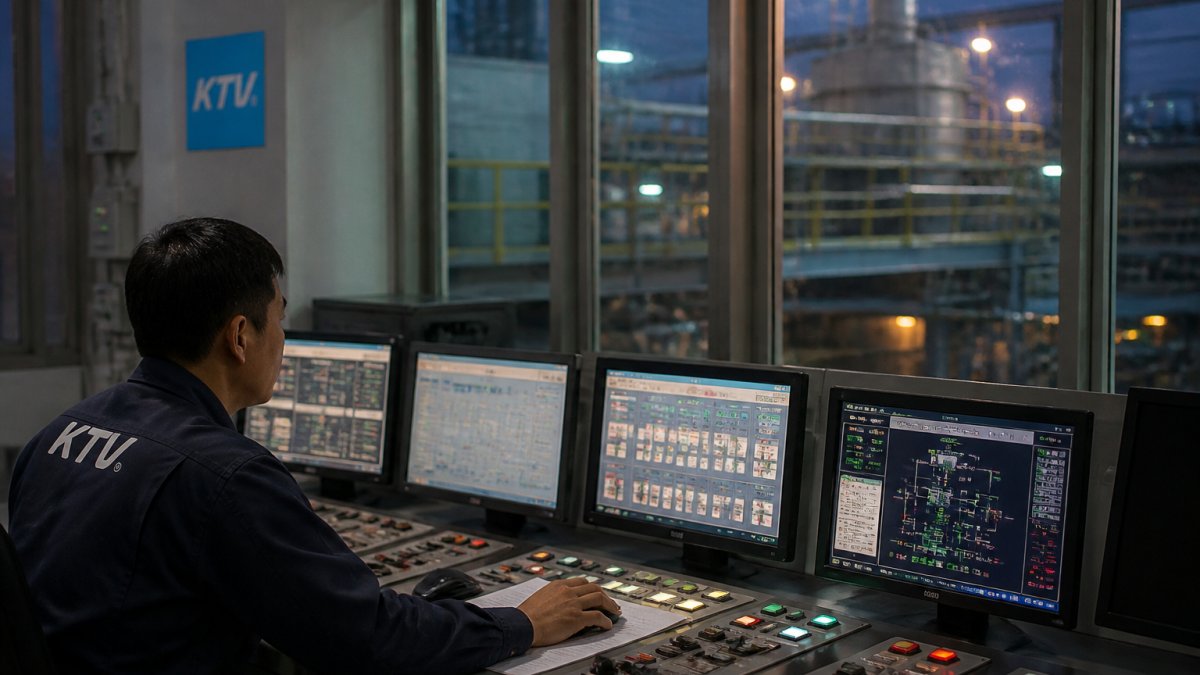
Physical safety starts with proper maintenance. Faulty HVAC systems allow temperature extremes. Failed fire suppression controls create fire risk. Broken emergency lighting complicates evacuations. Regular maintenance prevents these hazards.
Cybersecurity protects your BAS from unauthorized access. Industrial control systems are increasingly targeted by attackers. A compromised building automation system could disable HVAC, unlock doors, or disable fire suppression. Protect your system:
- Change default passwords on all controllers and software
- Apply security patches promptly
- Isolate your BAS network from the internet if possible
- Use strong authentication for remote access
- Monitor for unauthorized login attempts
- Maintain current backups of all system configurations
Operational technology (OT) controls differ from information technology (IT). Building automation systems prioritize availability and safety over speed. Update procedures must not interrupt critical functions. Test updates on a backup system first. Schedule changes during low-occupancy periods.
Document your security procedures. Train technicians on safe practices. Establish clear protocols for emergency shutdown. Regular security audits identify vulnerabilities before attackers exploit them.
Measuring ROI and Environmental Impact
Automated building maintenance delivers measurable returns. Track costs and benefits to justify continued investment.
Cost savings come from several sources:
- Reduced emergency repairs through early problem detection
- Extended equipment lifespan from preventive care
- Lower energy costs from optimized system operation
- Fewer tenant complaints from reliable comfort control
- Reduced labor costs through efficient scheduling
Calculate your return on investment by comparing costs before and after automation. Include equipment purchases, software subscriptions, and technician training. Compare against savings in repairs, energy, and downtime. Most facilities see payback within 2-3 years.
Environmental impact matters increasingly. Automated systems reduce energy consumption. Optimized HVAC operation cuts heating and cooling waste. Predictive maintenance prevents equipment degradation that increases energy use. Proper maintenance extends equipment life, reducing manufacturing waste from early replacement.
Track energy consumption monthly. Compare usage before and after implementing automation. Most facilities see 10-20% energy reduction from better control and scheduling. This translates to lower utility bills and reduced carbon emissions.
Document your environmental improvements for ESG reporting. Sustainability officers and investors increasingly value facilities that reduce their environmental footprint. Automated maintenance demonstrates commitment to efficiency and responsible operations.
Automated building maintenance transforms industrial facility operations from reactive crisis management to proactive planning. Regular sensor calibration, controller checks, and scheduled service prevent costly failures and extend equipment life.
Frequently Asked Questions
What is the difference between a building automation system and a computerized maintenance management system?
A building automation system (BAS) monitors and controls building equipment like HVAC, lighting, and mechanical systems in real time. A computerized maintenance management system (CMMS) tracks maintenance tasks, schedules work orders, and manages asset lifecycle data. Both support automated building maintenance, but BAS handles live control while CMMS organizes the maintenance workflow. Industrial facilities often use both together: BAS detects faults, CMMS schedules repairs.
How does predictive maintenance reduce equipment downtime in industrial facilities?
Predictive maintenance tools monitor equipment condition continuously, detecting degradation before failure occurs. By analyzing sensor data on vibration, temperature, and pressure, facilities can schedule repairs during planned downtime rather than facing emergency breakdowns. This approach cuts unplanned downtime by identifying problems weeks or months in advance, allowing maintenance teams to order parts and plan work without disrupting production.
What data should an automated maintenance system track?
An automated building maintenance system should track sensor readings (temperature, humidity, pressure), equipment run times, fault codes and alarms, maintenance task completion dates, parts replaced, and energy consumption. This data enables condition monitoring, supports work-order prioritization, and provides audit trails for compliance. Industrial sites benefit from tracking asset-specific metrics like HVAC cycle efficiency, lighting system performance, and mechanical wear indicators.
How can automation reduce maintenance costs and extend asset life?
Automated maintenance systems shift from reactive break-fix to preventive and predictive strategies. Preventive maintenance catches issues early, reducing emergency repairs and parts costs. Condition monitoring extends service life by optimizing equipment operation and preventing overuse. Centralized monitoring reduces manual inspection labor, and digital records eliminate duplicate work. Many industrial facilities report 20-30% reductions in maintenance spending and 15-20% longer equipment lifecycles after implementing automated systems.